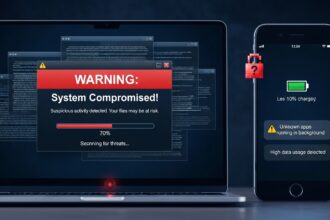
In today’s highly connected digital world, personal information has become one of the most valuable assets. From banking details and social media accounts to emails and passwords, cybercriminals are constantly trying to steal sensitive data for financial gain or identity fraud. Online scams are also becoming more advanced, making it harder for users to identify threats.
Understanding how to protect your personal information from cyber attacks and online scams is essential in 2026. With the right habits and tools, you can significantly reduce the risk of becoming a victim.
Understanding Cyber Attacks and Online Scams
Cyber attacks refer to malicious attempts by hackers to gain unauthorized access to your devices, accounts, or data. Online scams, on the other hand, are deceptive tricks designed to steal money or information by manipulating users.
Common examples include:
- Phishing emails pretending to be banks or services
- Fake websites designed to steal login credentials
- Malware hidden in downloads or attachments
- Social media impersonation scams
- Fake online shopping deals
These threats are constantly evolving, which means protection strategies must also improve over time.
Use Strong and Unique Passwords
One of the simplest but most effective ways to protect your personal information is by using strong passwords. Weak passwords like “123456” or “password” are easy targets for hackers.
Best Practices for Password Security
- Use at least 12–16 characters
- Combine uppercase, lowercase, numbers, and symbols
- Avoid using personal information like names or birthdays
- Never reuse the same password across multiple accounts
To manage complex passwords safely, tools like a password manager such as Bitwarden or 1Password can help store and generate secure passwords.
Enable Two-Factor Authentication (2FA)
Two-factor authentication adds an extra layer of security beyond just a password. Even if someone steals your password, they still cannot access your account without the second verification step.
Common 2FA Methods
- SMS verification codes
- Authentication apps
- Email confirmation
- Biometric verification (fingerprint or face ID)
Using 2FA on email, banking, and social media accounts greatly reduces the risk of unauthorized access.
Be Careful With Phishing Emails and Messages
Phishing is one of the most common cyber attack methods. Hackers send fake emails or messages that appear to come from trusted companies, tricking users into clicking malicious links.
Warning Signs of Phishing
- Urgent messages asking for immediate action
- Suspicious email addresses
- Poor grammar or spelling mistakes
- Links that look slightly different from official websites
Always verify the sender before clicking any links or downloading attachments.
Avoid Public Wi-Fi for Sensitive Activities
Public Wi-Fi networks in cafes, airports, and shopping malls are often unsecured. Hackers can intercept data sent over these networks, including passwords and banking information.
Safety Tips for Public Networks
- Avoid logging into banking or financial accounts
- Use a virtual private network (VPN) for encryption
- Turn off auto-connect Wi-Fi settings
A reliable VPN service encrypts your internet traffic and protects your privacy when using public networks.
Keep Your Devices and Software Updated
Outdated software often contains security vulnerabilities that hackers can exploit. Regular updates fix these weaknesses and improve overall security.
What You Should Update Regularly
- Operating systems (Windows, Android, iOS)
- Browsers and extensions
- Antivirus software
- Mobile apps
Enabling automatic updates ensures you don’t miss critical security patches.
Be Cautious With Social Media Sharing
Cybercriminals often collect personal data from social media profiles to create targeted scams or steal identities.
What to Avoid Sharing Publicly
- Full date of birth
- Home address
- Phone numbers
- Travel plans in real-time
- Financial information
Adjusting privacy settings on platforms like Facebook, Instagram, and others helps control who can view your information.
Use Reliable Security Software
Installing trusted security software helps detect and block threats before they can harm your system. Antivirus and anti-malware tools provide real-time protection against suspicious activity.
Some modern security tools also include:
- Firewall protection
- Ransomware detection
- Safe browsing features
- Email scam filtering
Recognize and Report Suspicious Activity
Awareness is one of the strongest defenses against cyber threats. If something feels suspicious, it usually is.
What You Should Do
- Do not click unknown links
- Do not share OTPs or passwords
- Report fake accounts or emails
- Contact official support services directly
Reporting scams helps protect others from becoming victims as well.
Conclusion
Protecting your personal information from cyber attacks and online scams is no longer optional—it is a necessity in the digital age. Cybercriminals are becoming more advanced, but with the right habits, tools, and awareness, you can significantly reduce your risk.
By using strong passwords, enabling two-factor authentication, avoiding suspicious links, and staying alert online, you can secure your digital identity and enjoy a safer internet experience.