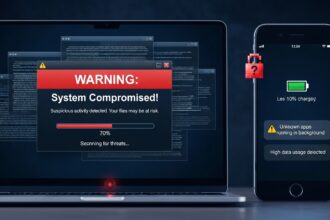
Public WiFi has become extremely common in today’s digital world. Whether you are in a café, airport, hotel, shopping mall, or library, free internet access feels convenient and harmless. However, what most users do not realize is that using public WiFi without proper protection can expose their personal data to serious security threats.
Understanding why using public WiFi without protection can put your data at risk is essential for anyone who uses the internet on the go. Cybercriminals often target unsecured networks because they are easy to exploit and can provide access to sensitive information like passwords, banking details, and private messages.
What Makes Public WiFi Unsafe?
Public WiFi networks are usually open or weakly secured, meaning anyone nearby can connect without strong authentication. Unlike home or office networks that use strong encryption, public WiFi often lacks proper security protocols.
This creates an opportunity for attackers to:
- Intercept data being transmitted
- Monitor online activity
- Steal login credentials
- Inject malicious software
Since many users assume public WiFi is safe, they unknowingly expose themselves to risks.
Man-in-the-Middle Attacks
One of the most common dangers of public WiFi is the Man-in-the-Middle (MITM) attack. In this type of attack, hackers secretly position themselves between your device and the WiFi connection.
How it works:
- You connect to public WiFi
- A hacker intercepts your data
- Information passes through their system before reaching the internet
This allows attackers to view:
- Emails
- Passwords
- Credit card details
- Social media accounts
Because the process happens silently, users often have no idea their data is being stolen.
Fake WiFi Hotspots (Evil Twin Networks)
Cybercriminals often create fake WiFi networks that look legitimate. For example, a hacker might name their hotspot “Free Airport WiFi” or “Cafe Guest Network” to trick users into connecting.
Once connected, everything you do online can be monitored.
Risks of fake hotspots include:
- Stolen login credentials
- Redirected websites
- Malware installation
- Identity theft
These fake networks are especially dangerous because they look completely normal to users.
Data Theft and Unencrypted Connections
Many websites and apps do not fully encrypt data, especially when using public WiFi. If a website uses HTTP instead of HTTPS, your data is sent in plain text.
This means hackers can easily read:
- Passwords
- Messages
- Personal information
- Financial data
Even apps that seem secure can be vulnerable if the connection itself is not protected.
Malware Injection Risks
Public WiFi can also be used to spread malicious software. Hackers can exploit weak networks to inject malware into connected devices.
Types of malware include:
- Spyware (tracks your activity)
- Ransomware (locks your files)
- Keyloggers (records your typing)
Once installed, malware can silently collect sensitive data over time without your knowledge.
Session Hijacking
Session hijacking occurs when a hacker steals your active login session. If you are logged into an account like email or social media, attackers can take over your session without needing your password.
This allows them to:
- Access your accounts
- Send messages on your behalf
- Change account settings
- Steal personal information
This type of attack is especially dangerous because it bypasses normal login security.
Why Mobile Users Are at Higher Risk
Smartphones and tablets are often more vulnerable on public WiFi because:
- Users frequently auto-connect to networks
- Apps run in the background
- Security settings are often weaker
- Small screens make phishing harder to detect
People tend to browse quickly on mobile devices, which increases the chances of clicking unsafe links or entering sensitive information.
How to Protect Your Data on Public WiFi
While public WiFi is risky, you can reduce danger by taking simple precautions.
1. Use a VPN (Virtual Private Network)
A VPN encrypts your internet traffic, making it unreadable to hackers.
2. Avoid Sensitive Transactions
Do not access:
- Online banking
- Credit card portals
- Work accounts with confidential data
on public WiFi.
3. Use HTTPS Websites
Always check for “https://” in the URL, which indicates encryption.
4. Turn Off Auto-Connect
Disable automatic WiFi connections to prevent joining fake networks.
5. Use Mobile Data for Important Tasks
When possible, switch to mobile data instead of public WiFi for secure activities.
6. Keep Devices Updated
Software updates often include security patches that protect against vulnerabilities.
The Importance of Digital Awareness
Most cyberattacks on public WiFi succeed not because of advanced hacking, but because users are unaware of the risks. Simple habits like checking network names, avoiding sensitive logins, and using encryption tools can significantly reduce exposure.
As internet usage continues to grow, digital safety is no longer optional—it is essential.
Final Thoughts
Public WiFi offers convenience, but it also comes with hidden dangers. Without proper protection, your personal data can be intercepted, stolen, or misused by cybercriminals. From fake hotspots to malware attacks and session hijacking, the risks are real and increasing.